Understanding SSL/TLS automation endpoints
Orchestration gateways enable the management of certificate automation on supported endpoints where certificates can be installed, such as servers, keystores (P12, JKS), or PEM files.
When endpoints are added to an orchestration gateway, they are registered on the SSL/TLS Automation Endpoints page in SCM and become available for certificate automation tasks.
Orchestration gateway endpoints can be managed on the page.
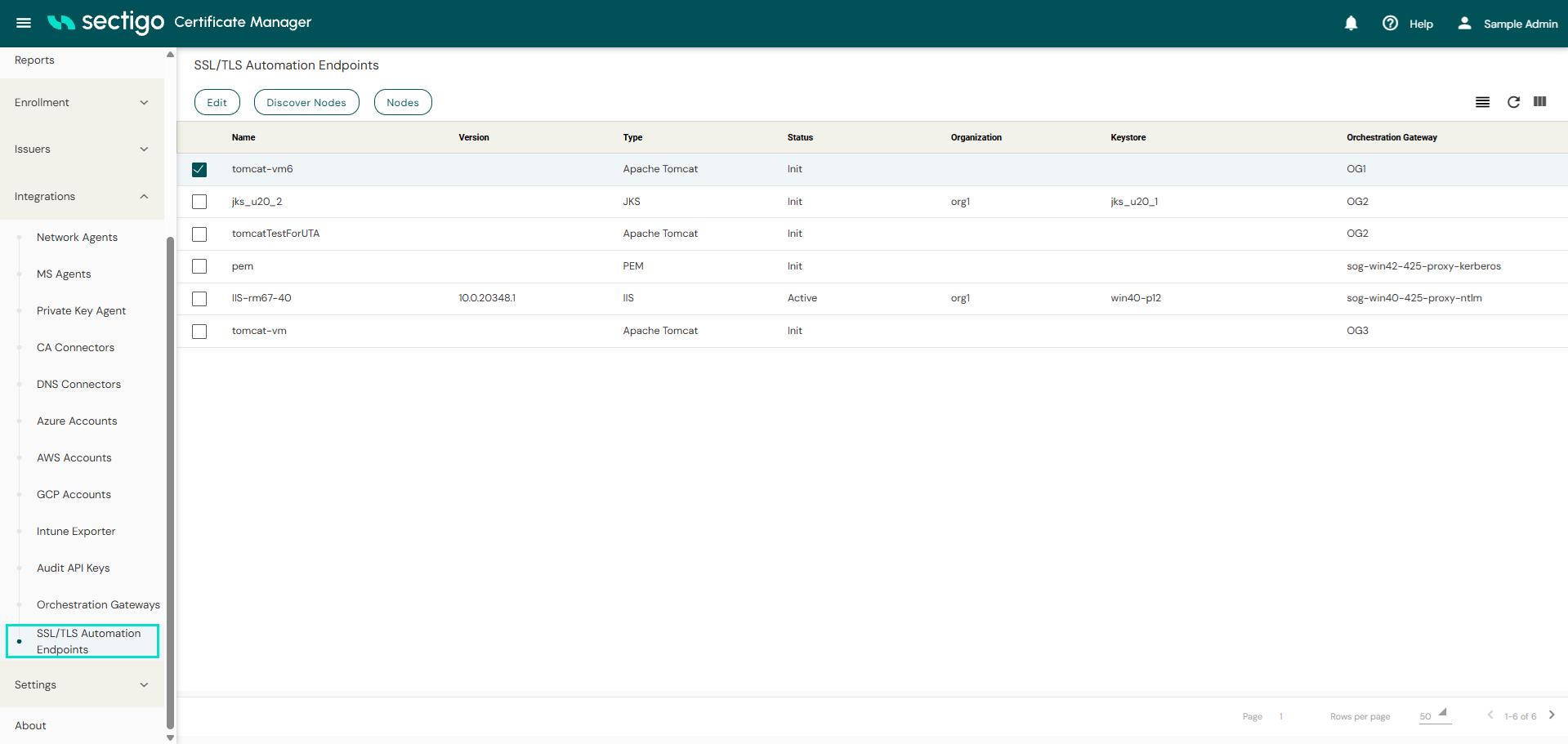
The following table describes the details and controls of the SSL/TLS Automation Endpoints page.
| Column | Description |
|---|---|
Name |
The name of the endpoint. |
Version |
The version of the endpoint, if applicable. |
Type |
The type of the endpoint, based on the platform or certificate storage format. The possible values are:
|
Status |
The current status of the endpoint. The possible values are:
|
Organization |
The organization associated with the endpoint. |
Department |
The department associated with the endpoint. |
Keystore |
The keystore associated with the endpoint. |
Orchestration Gateway |
The name of the orchestration gateway that the endpoint is associated with. |
Comments |
Any comments associated with the endpoint. |
Table controls |
|
Quick Search |
Enables you to search the results by name. |
Filter |
Enables you to sort the table information using custom filters. |
Group |
Enables you to sort the table information using predefined groups. |
Refresh |
Refreshes the information presented in the table. |
Manage Columns |
Enables you to select which table columns to display. |
Admin controls |
|
Edit |
Opens the Edit SSL/TLS Automation Endpoint dialog where you can manage the selected endpoint. |
Discover Nodes |
Discovers the endpoint nodes associated with the server. |
Nodes |
Opens the Nodes page where you can view the server nodes associated with the endpoint. |
View Audit |
Opens the Network Agents Audit dialog where you can view or download audit logs. |