Understanding orchestration gateways
Sectigo orchestration gateways are installed on your network to support the automated request and installation of SSL certificates for delegated organizations and departments.
When an orchestration gateway receives a certificate request from SCM, it generates a certificate signing request (CSR). If required, the request is presented for administrator approval in SCM before submitting the CSR to Sectigo and tracking the order number. Once the certificate is issued by the CA, the orchestration gateway downloads the certificate and enables the administrator to install it.
Orchestration gateways installed on a single server can be configured to communicate with, and install certificates on, other remote endpoints in the network.
| A complete certificate trust chain (root and intermediate certificates) is required when the orchestration gateway is installed on F5 BIG-IP devices or when the certificate is issued by a private CA. To add a trusted CA certificate, see Add a trusted CA certificate. |
Orchestration gateways can be managed on the page.
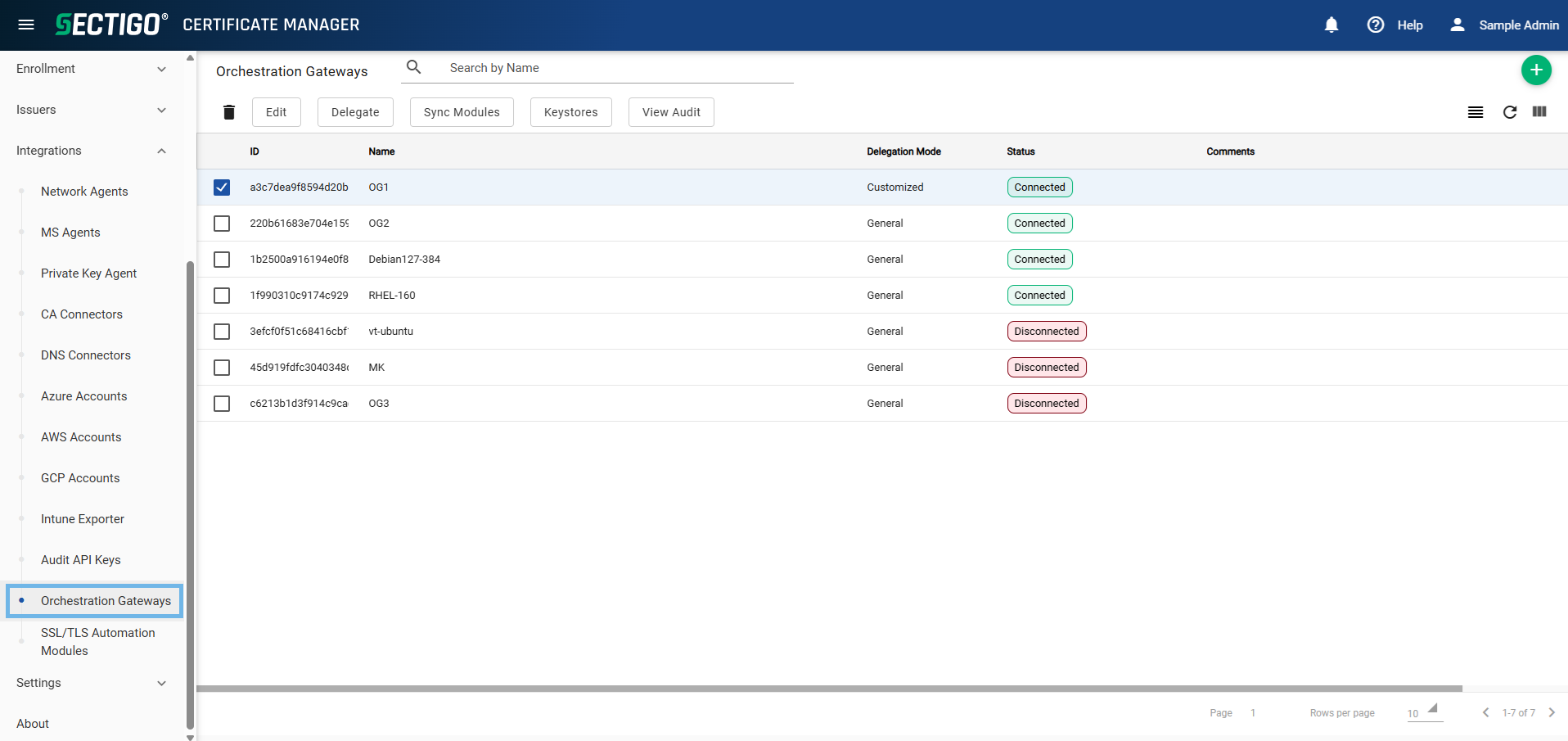
The following table describes the details and controls of the Orchestration Gateways page.
| Column | Description |
|---|---|
ID |
The ID of the orchestration gateway. |
Unique Gateway ID (UUID) |
The unique UUID of the orchestration gateway. |
Name |
The name of the orchestration gateway. |
Delegation Mode |
The delegation mode of the orchestration gateway. The possible values are:
|
Status |
The current connection status of the orchestration gateway. The possible values are:
|
Version |
The version number of the installed orchestration gateway. |
Comments |
Additional information about the orchestration gateway. |
Table controls |
|
Quick Search |
Enables you to quickly search the results by name. |
Filter |
Enables you to sort the table information using custom filters. |
Group |
Enables you to sort the table information using predefined groups. |
Refresh |
Refreshes the information presented in the table. |
Manage Columns |
Enables you to select which table columns to display. |
Admin controls |
|
Add |
Opens the Add Orchestration Gateway dialog where you can add a new orchestration gateway. |
Delete |
Removes the selected orchestration gateway. |
Edit |
Opens the Edit Orchestration Gateway dialog where you can manage gateway properties, connected endpoints, and downloads. |
Delegate |
Opens the Delegate Orchestration Gateway dialog where you can delegate the gateway to specific organizations and departments. |
Sync Endpoints |
Synchronizes locally applied changes with the selected orchestration gateway. |
Restore |
Opens the Restore Orchestration Gateway dialog where you can restore the gateway connection to SCM. |
Keystores |
Opens the Keystores dialog where you can manage the keystores associated with the gateway. |
View Audit |
Opens the Orchestration Gateways Audit dialog where you can view and download audit logs. |