Understanding SiteLock Trust Seal
The SiteLock Trust Seal is a visual badge placed on your website that shows visitors your site is protected by SiteLock.
When displayed, it shows that:
-
Your SiteLock subscription is active.
-
Your site has passed the security checks for the SiteLock service(s) included in your subscription.
-
SiteLock is continuously monitoring your site for security issues and will alert you if any issues are detected.
By displaying this badge, you help build trust with your website visitors and show that you are taking steps to protect their information and provide a secure browsing experience.
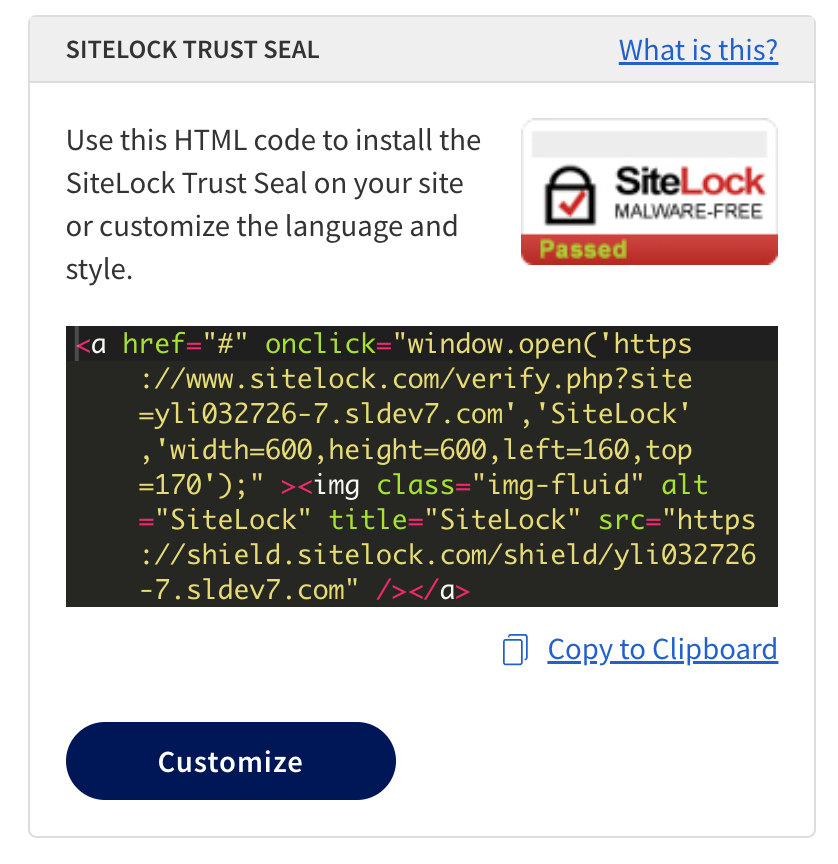
How the SiteLock Trust Seal works
-
The SiteLock Trust Seal is added to your website by incorporating a small code snippet provided in your SiteLock dashboard.
-
The snippet communicates with your SiteLock dashboard and reports to determine the current security status of your website.
-
When all required security checks pass, the SiteLock Trust Seal automatically appears on your website, indicating to visitors that your site is secure and protected by SiteLock.
-
If any scans fail repeatedly or report issues, the SiteLock Trust Seal is temporarily hidden to avoid displaying a security badge during an active issue.
-
The code snippet remains on your website at all times; only visibility of the seal changes based on the status reported in your SiteLock dashboard.
The code snippet will not immediately disappear if an issue is detected. There is a warning period of a few days to allow you to address any issues before the seal is hidden. This helps prevent temporary scan failures from immediately impacting your site’s trustworthiness in the eyes of visitors.
SiteLock Trust Seal details page
Clicking on the SiteLock Trust Seal opens a page with a summary of your website’s security status. Visitors can see when your site was last scanned and verified to be free of malware and spam, providing additional assurance of your site’s security.
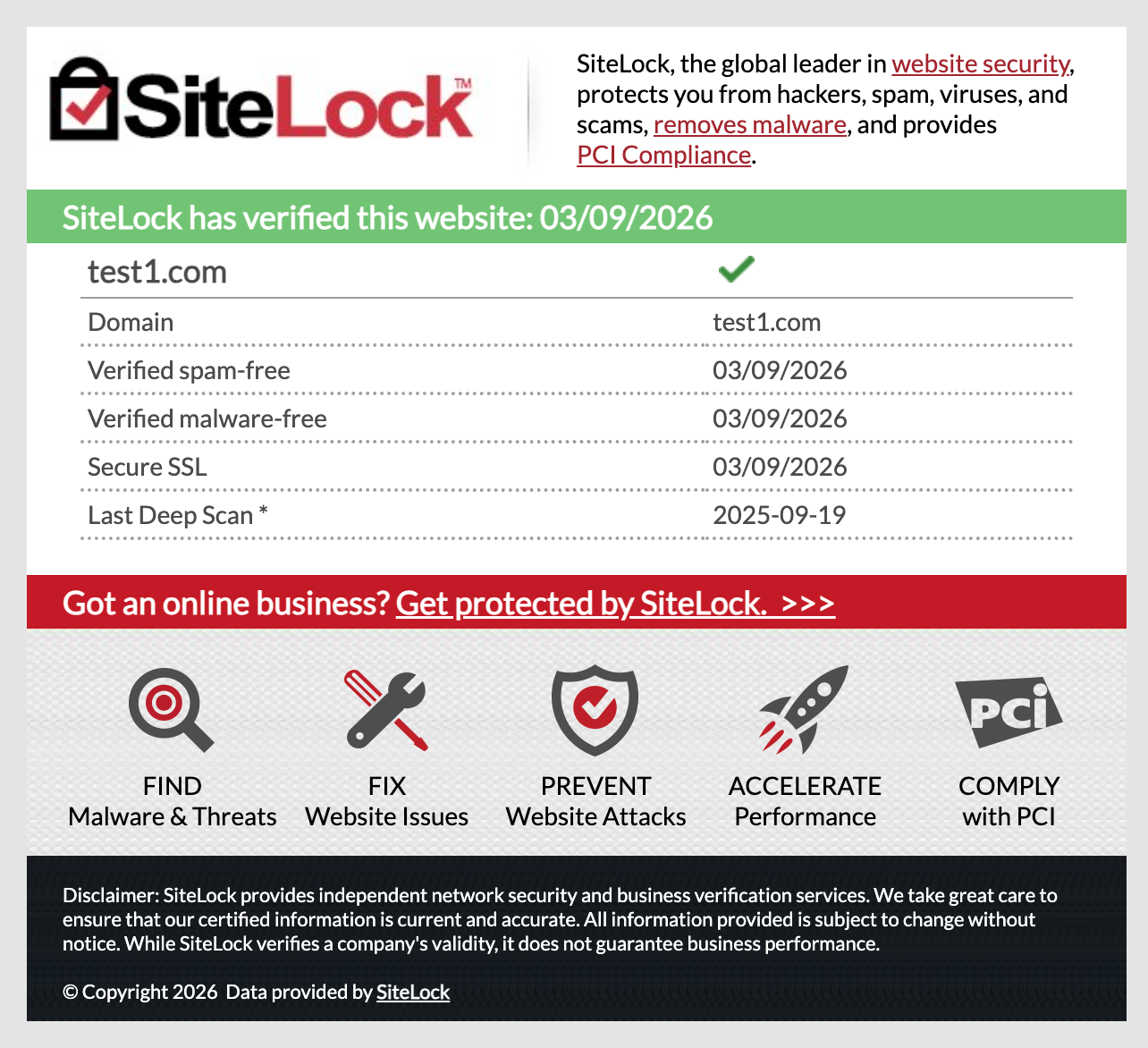
The following table describes the fields that may be present on the SiteLock Trust Seal details page.
| Field | Description |
|---|---|
Domain |
The domain name of the website. |
Verified spam-free |
The most recent date your website was scanned and confirmed to be free of spam. |
Verified malware-free |
The most recent date your website was scanned and confirmed to be free of malware. |
Secure SSL |
The most recent date your website was scanned and confirmed to have a valid SSL certificate. |
Last Deep Scan |
The most recent date your website was scanned with a malware scan that checks all files on your website, including those not publicly accessible. |