Understanding subscriptions
All the services you have subscribed to through SiteLock or a SiteLock partner appear on the Subscriptions page of your dashboard.
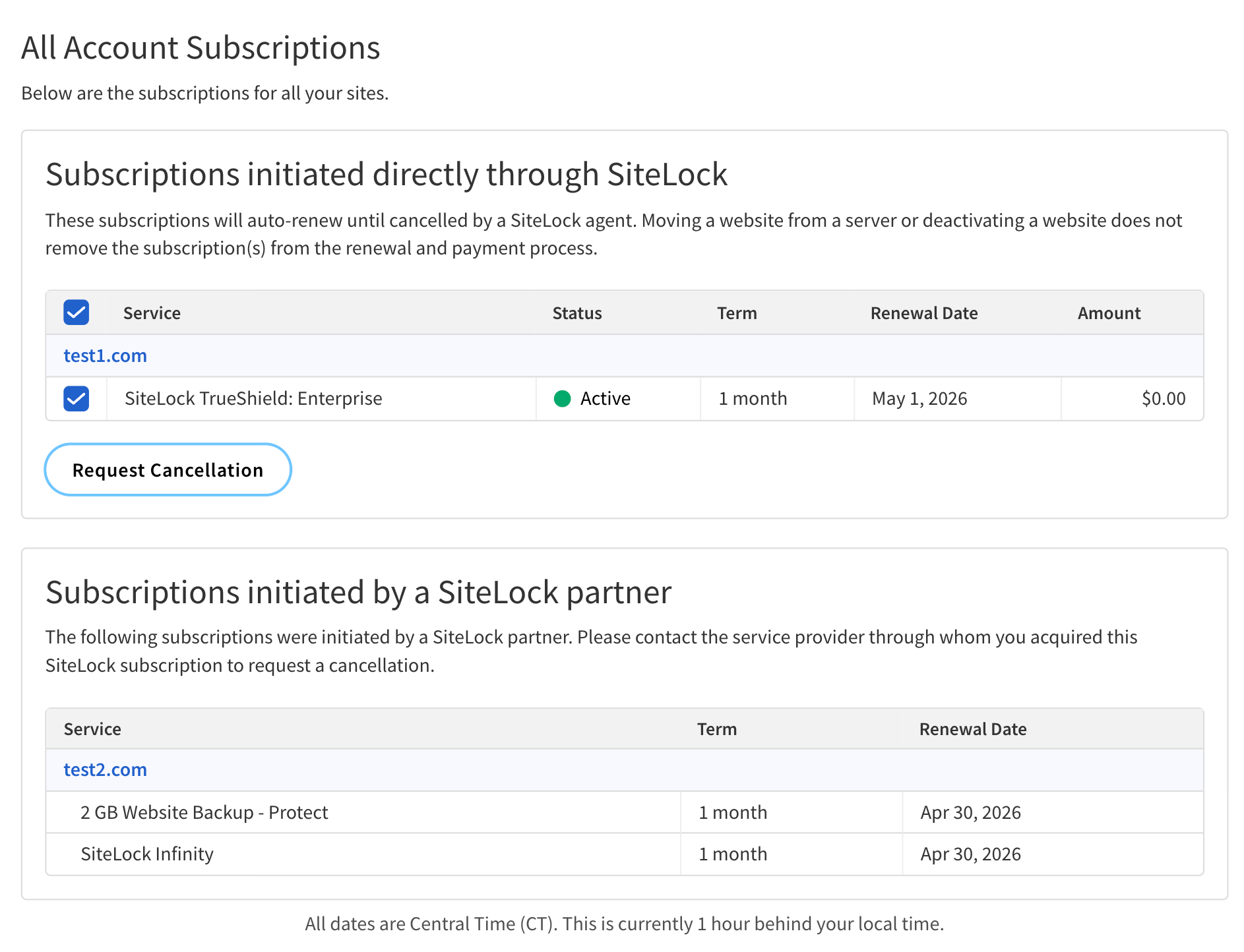
You can access the site-specific Subscriptions page from a website’s Site Settings, and the account-wide Subscriptions page from Account Settings.
| Only account owners or support agents with appropriate permissions can access and modify subscriptions. |
Subscription types
There are two types of subscriptions:
-
Subscriptions initiated directly through SiteLock — These are subscriptions that you have initiated directly through SiteLock. You can view and manage these subscriptions through your SiteLock dashboard.
-
Subscriptions initiated by a SiteLock partner — These are subscriptions that you have initiated through a SiteLock partner. You can view these subscriptions through your SiteLock dashboard, but you must contact the partner to manage these subscriptions.
Subscriptions table
Subscriptions initiated directly through SiteLock
The following table describes the components of the table under the Subscriptions initiated directly through SiteLock section of the Subscriptions page.
| Column | Description | ||
|---|---|---|---|
Service |
The name of the subscription service as recorded in the SiteLock database.
|
||
Status |
The current status of the subscription. Possible values are:
|
||
Term |
The duration of the subscription. |
||
Renewal Date |
The date when the subscription will be automatically renewed, if applicable. |
||
Amount |
The cost of the subscription per billing cycle. |
Subscriptions initiated by a SiteLock partner
The following table describes the components of the table under the Subscriptions initiated by a SiteLock partner section of the Subscriptions page.
| Column | Description | ||
|---|---|---|---|
Service |
The name of the subscription service as recorded in the SiteLock database.
|
||
Term |
The duration of the subscription. |
||
Renewal Date |
The date when the subscription will be automatically renewed, if applicable. |