Configuring and deploying the connector
Enable workflow permissions in Dynatrace
Before deploying the workflow, enable the required permissions in Dynatrace.
-
Navigate to the Dynatrace settings page: https://YOUR_ENV.apps.dynatrace.com/ui/apps/dynatrace.automations/settings.
-
Set the following permissions:
-
Primary permissions:
-
app-engine:functions:run(grants permission to use the function executor)
-
-
Secondary permissions:
-
automation:
-
automation:workflows:read(grants permission to read workflows) -
automation:workflows:run(grants permission to execute workflows)
-
-
environment-api:
-
environment-api:credentials:read(grants access to read credentials) -
environment-api:credentials:write(grants access to manage credentials)
-
-
-
Create Dynatrace API token
-
Login to Dynatrace: https://YOUR_ENV.live.dynatrace.com.
-
Navigate to Settings > Integration > Access tokens.
-
Click Generate new token.
-
Assign the token name
Sectigo Integration Token. -
Set the required scopes:
-
logs.ingest- Ingest logs -
credentialVault.read- Read credentials from vault -
credentialVault.write- Create credentials in vault -
settings.read- Read settings (for allowlist check) -
settings.write- Write settings (for allowlist update)
-
-
-
Click Generate token.
-
Copy the token (it starts with dt0c01).
Create Dynatrace OAuth2 client
-
In the Dynatrace UI, click your profile icon.
-
Select Account Management from the dropdown menu.
-
In the top navigation, click Identity & Access Management.
-
Select the OAuth clients tab.
-
Click Create new OAuth client.
-
Assign the client name:
Workflow Automation Client. -
Set the required scopes:
-
automation:workflows:read- Read workflows -
automation:workflows:write- Create/update workflows -
automation:workflows:run- Run workflows via API
-
-
-
Click Create client.
-
Copy the Client ID (it starts with dt0s02).
-
Copy the Client Secret.
Modify the config.yaml file
Edit config.yml with your credentials.
# Dynatrace Configuration
dynatrace_api_token: "dt0c01.YOUR_TOKEN_HERE"
dynatrace_environment_url: "https://YOUR_ENV.live.dynatrace.com"

# Sectigo SCM Configuration
scm_api_url: "https://audit.demo.sectigo.com"
sectigo_client_id: "YOUR_SECTIGO_CLIENT_ID"
sectigo_client_secret: "YOUR_SECTIGO_CLIENT_SECRET"

# Workflow Configuration
max_retries: 3
max_execution_time_minutes: 55

# Runtime Configuration
# The following parameters are stored in Dynatrace Credential Vault.
# Customers can edit these values in the vault without redeployment.

# Initial Fetch Duration
# Format: XdYh (examples: "2h", "1d", "5d12h")
init_history_duration: "2h"

# Initial Checkpoint (optional)
# ISO 8601 format: "2026-01-22T12:00:00Z"
# Leave empty to use init_history_duration
initial_checkpoint: ""

# Schedule Trigger
trigger_interval_minutes: 10
trigger_enabled: true
Configuration parameters
| Parameter | Description | Default | Examples |
|---|---|---|---|
|
Dynatrace API token with required scopes |
Required |
|
|
Your Dynatrace environment URL (trailing / automatically removed) |
Required |
|
|
OAuth2 Client ID for workflow deployment |
Required |
|
|
OAuth2 Client Secret for workflow deployment |
Required |
Long string |
|
Dynatrace Account URN |
Required |
|
|
Sectigo SCM API endpoint (trailing / auto-removed) |
Required |
|
|
Sectigo OAuth2 client ID |
Required |
UUID format |
|
Sectigo OAuth2 client secret |
Required |
|
|
Retry attempts on failure (runtime editable) |
|
|
|
Max workflow runtime (hardcoded in script) |
|
Not editable |
|
Initial fetch duration (runtime editable) |
|
|
|
Override with specific ISO 8601 timestamp |
|
|
|
Schedule interval |
|
|
|
Enable automatic schedule |
|
|
Deploy and verify
Deploy
-
Ensure
config.yamlis complete. -
Run
bash deploy.sh.
Sample output
====================sh============================================
  Sectigo → Dynatrace Full Deployment
================================================================

[1/11] Reading configuration...
  ✓ Configuration loaded
    DT Environment: https://qlz53799.live.dynatrace.com
    SCM API: https://audit.demo.sectigo.com
    Max Execution Time: 55 minutes
    Initial History: 22h

[2/11] Configuring domain allowlist...
  Checking allowlist for: audit.demo.sectigo.com, qlz53799.live.dynatrace.com, *.sectigo.com
  ✓ Allowlist enforcement is enabled
  Current allowed domains: audit.demo.sectigo.com qlz53799.live.dynatrace.com *.sectigo.com
  ✓ Allowlist already contains required domains

[3/11] Creating SCM OAuth credential in vault...
  ✓ SCM credential created
    ID: CREDENTIALS_VAULT-7225CC547B03EB6A

[4/11] Creating Dynatrace API token credential in vault...
  ✓ DT credential created
    ID: CREDENTIALS_VAULT-496457436657A36B

[5/11] Creating checkpoint credential...
  ℹ️  Checkpoint credential already exists (preserving state)
    ID: CREDENTIALS_VAULT-6D3529D14CB6E086

[6/11] Creating execution lock credential...
  ✓ Execution lock credential created
    ID: CREDENTIALS_VAULT-C46382AEE203B74F

[7/11] Creating workflow configuration credential...
  ✓ Workflow config credential created
    ID: CREDENTIALS_VAULT-C821B53899A2C453
    Config: max_retries=3, init_history=22h

[8/11] Injecting credential IDs into workflow...
  ✓ Credential IDs and config injected

[9/11] Deploying workflow to Dynatrace...
  ℹ️  No existing workflows found with title 'Sectigo SCM Integration'
  ✓ Workflow deployed successfully
    ID: 1833f793-6dc0-4a42-b902-3e44c776f60f

[10/11] Adding schedule trigger...
  ✓ Schedule trigger configured
    Interval: Every 2 minutes

[11/11] Running workflow once...
  ✓ Workflow execution started
    Execution ID: b36bdbff-9840-444c-af90-d343b01241d1
    Execution state: RUNNING

================================================================
  ✅ DEPLOYMENT COMPLETE!
================================================================

📋 Summary:
  • SCM Credential:        CREDENTIALS_VAULT-7225CC547B03EB6A
  • DT Credential:         CREDENTIALS_VAULT-496457436657A36B
  • Checkpoint Credential: CREDENTIALS_VAULT-6D3529D14CB6E086
  • Lock Credential:       CREDENTIALS_VAULT-C46382AEE203B74F
  • Workflow Config:       CREDENTIALS_VAULT-C821B53899A2C453 (runtime editable)
  • Workflow ID:           1833f793-6dc0-4a42-b902-3e44c776f60f
  • Schedule:              Every 2 minutes

🔗 View Workflow:
  https://qlz53799.apps.dynatrace.com/ui/apps/dynatrace.automations/workflows/1833f793-6dc0-4a42-b902-3e44c776f60f

🎯 Workflow will run automatically every 2 minutes (and was started once just now)

📊 Check logs: log.source="sectigo-scm"
Verify Deployment
Verify the deployment using one of the following:
-
Manual run (immediate test)
-
Scheduled run
-
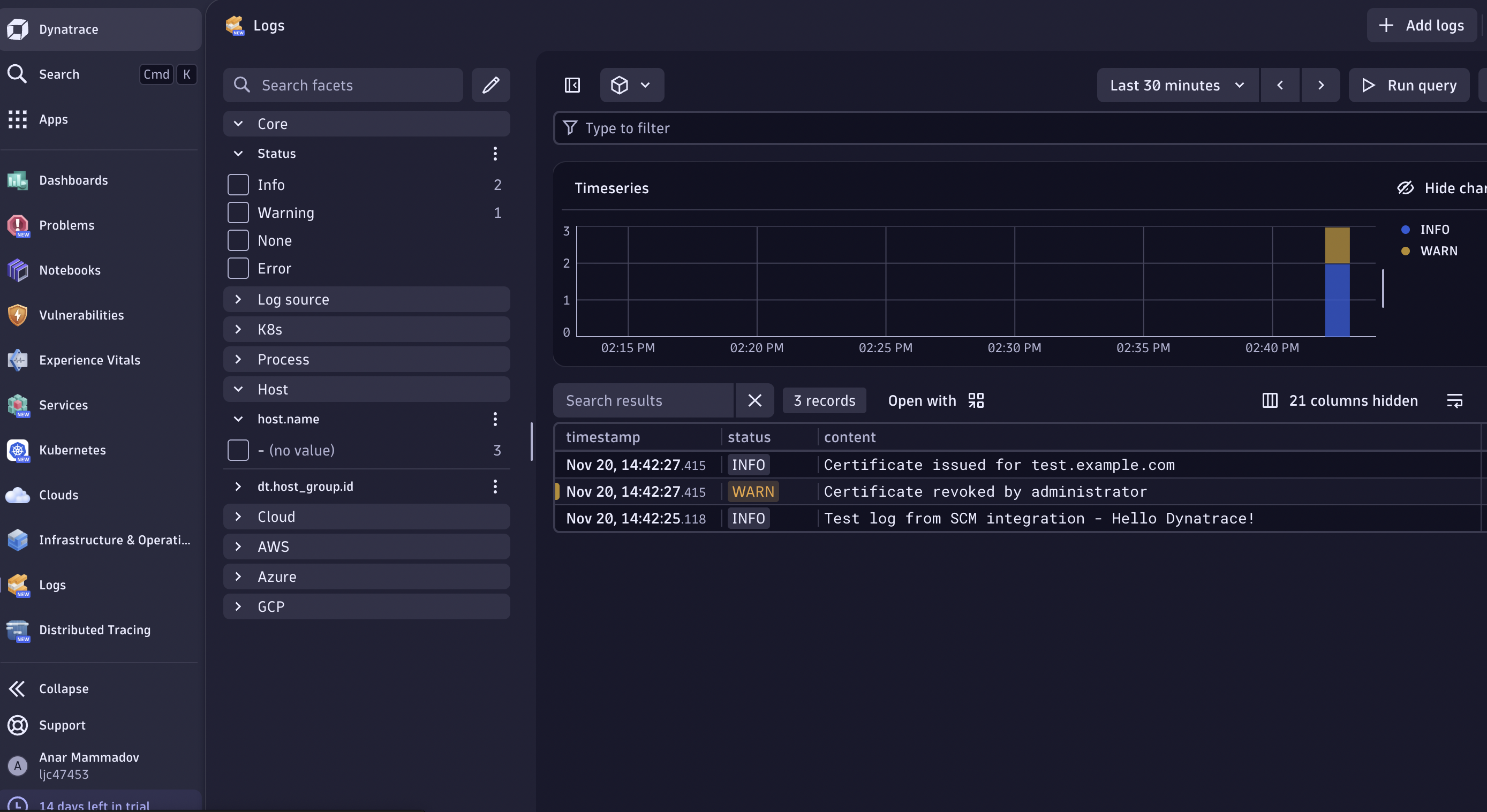
Check Dynatrace logs
-
Navigate to Automation > Workflows > Sectigo SCM Integration.
-
Click Run.
-
No parameters needed - it uses Credential Vault automatically.
-
Wait for execution to complete (~30 seconds).
-
-
View execution log.
=== Sectigo SCM to Dynatrace Integration ===
     Retrieving credentials from vault...
     ✓ SCM credentials retrieved from vault: Sectigo SCM OAuth
     ✓ Dynatrace token retrieved from vault: Dynatrace Log Ingest Token
     ✓ Runtime config loaded from vault: Sectigo SCM Workflow Config
       Config values: {"maxRetries":3,"initHistoryDuration":"2h"}
     Max execution time: 55 minutes (hardcoded)
     Lock timeout: 120 minutes (hardcoded)
     Initial history: 2h (0d 2h)
     Execution lock status: IDLE
     ✓ Execution lock set to RUNNING
     Checkpoint: none (initial run)
     ✓ OAuth token obtained
     First run - querying logs from 2026-01-29T08:00:00Z to 2026-01-29T10:00:00Z (2 hours)
     ✓ Fetched 100 records from SCM API
     ✓ Sent 100 logs to Dynatrace
     ✓ Checkpoint saved to vault: 2026-01-29T09:44:11.611092Z|9d3cd09c...
     ✓ Execution lock released (IDLE)
The workflow runs automatically at the configured interval (default is 10 minutes).
Check the workflow execution history after the interval has passed.
-
Navigate to Observe & explore > Logs.
-
Use DQL query:
fetch logs | filter log.source == "sectigo-scm" | sort timestamp desc | limit 100 -
Verify log fields.
-
log.source: sectigo-scm -
log.level: INFO, WARN, ERROR -
event.action: Certificate actions (issue, renew, revoke, etc.) -
event.service: Sectigo service name -
customer.id,object.type,object.name
-